# Using FluCoMa tools with reaper
**URL:** https://discourse.flucoma.org/t/using-flucoma-tools-with-reaper/311
**Category:** Code Sharing
**Created:** [September 10, 2019, 8:44pm UTC](https://discourse.flucoma.org/t/using-flucoma-tools-with-reaper/311 "2019-09-10T20:44:03Z")
**Posts on this page:** 20
**Page:** 1
### Author:  [@jamesbradbury](https://discourse.flucoma.org/u/jamesbradbury)
#### Post date: [September 10, 2019, 8:44pm UTC](https://discourse.flucoma.org/t/using-flucoma-tools-with-reaper/311/1 "2019-09-10T20:44:04Z")
Hello,
Thanks to the wisdom and knowledge of @tremblap and also some old posts the team made in the REAPER forum I was able to concoct a REASCRIPT script that can segment using noveltyslice inside of a reaper project. With some more effort, the other tools could be implemented.
The code can be found here \> [https://github.com/jamesb93/REAPER-Scripts](https://github.com/jamesb93/REAPER-Scripts)
Installation can be a bit tricky as you have to point Reaper toward a python 3 installation, which also means you have to install Python. It would be nice to re-write the scripts in LUA or EEL perhaps, but this was more of a proof of concept than anything and I am more fluent in Python.
The script in action:
[https://streamable.com/j9i1f](https://streamable.com/j9i1f)
To install it, the simplest way is to download the script(s) from the link and place them somewhere you can find them again. Go to actions in Reaper (Shift + /) (or is it just ?..) to run the script once you have something selected.
To make it better I could have it iterate over all selected items, but I had really had enough of the REAPER API once I got to this point. Perhaps in future.
---
### Author:  [@jamesbradbury](https://discourse.flucoma.org/u/jamesbradbury)
#### Post date: [September 10, 2019, 10:26pm UTC](https://discourse.flucoma.org/t/using-flucoma-tools-with-reaper/311/2 "2019-09-10T22:26:31Z")
I just pushed a LUA implementation too, which is miles faster and will run the FluCoMa tools in a background thread of REAPER so you can do other stuff while it chops. It’s also easier to install as REAPER has a copy of LUA embedded. Simply open the script through the usual means. It is pretty much superior in every single way…
This line is important too:
```auto
-- Each user MUST point this to their folder containing FluCoMa CLI executables
local cli_path = '/Users/jamesbradbury/dev/bin'
```
You have to change this variable `cli_path` to where the CLI stuff is and it figures out the rest.
Another caveat is that I have a command line application which can spit out the contents of a `.wav` containing index samples through the `stdout`. Without stepping on the official team’s toes - PA gave me a very quick mockup of this to test these scripts. This is the path referenced on line 48:
```auto
local ie_exe = cli_path .. '/index_extractor '
```
I don’t have an alternative right now if anyone wants to try. There should be a solution in the future… I hear… 🙂
---
### Author:  [@tremblap](https://discourse.flucoma.org/u/tremblap)
#### Post date: [September 11, 2019, 6:42am UTC](https://discourse.flucoma.org/t/using-flucoma-tools-with-reaper/311/3 "2019-09-11T06:42:20Z")
woooooo I look forward to trying them later today! BTW nice DC in these audio files 😉
Here is the dirty CLI index\_extractor should anyone want to road-test the suite
[index\_extractor.zip](https://discourse.flucoma.org/uploads/short-url/Ai0zgaInI3MXaSYBXqdBKXeoZju.zip) (1.9 KB)
---
### Author:  [@jamesbradbury](https://discourse.flucoma.org/u/jamesbradbury)
#### Post date: [September 11, 2019, 8:19am UTC](https://discourse.flucoma.org/t/using-flucoma-tools-with-reaper/311/4 "2019-09-11T08:19:03Z")
Please try the .LUA one, its faster and fancier and has no dependencies 🙂 im quite happy with it.
---
### Author:  [@tremblap](https://discourse.flucoma.org/u/tremblap)
#### Post date: [September 11, 2019, 8:21am UTC](https://discourse.flucoma.org/t/using-flucoma-tools-with-reaper/311/5 "2019-09-11T08:21:10Z")
> [@jamesbradbury](#):
>
> and has no dependencies
not even the utility ? from you post it seemed needed…
---
### Author:  [@jamesbradbury](https://discourse.flucoma.org/u/jamesbradbury)
#### Post date: [September 11, 2019, 8:35am UTC](https://discourse.flucoma.org/t/using-flucoma-tools-with-reaper/311/6 "2019-09-11T08:35:29Z")
Sorry, apart from the usual installation of the tools themselves you don’t have to fudge with installing the scripting language. The most important bit is configuring the path to the tools. I wish there was a better way around that.
---
### Author:  [@tremblap](https://discourse.flucoma.org/u/tremblap)
#### Post date: [September 11, 2019, 8:49am UTC](https://discourse.flucoma.org/t/using-flucoma-tools-with-reaper/311/7 "2019-09-11T08:49:02Z")
There might be. If we release the utility (in discussion with @weefuzzy balancing with CSV output and such) and if people install the scripts in the usual places (/usr/bin) then you might be able to put that as default…
In the later future, we will release the C++ api so you might be able to make an all inclusive plug (or I might 😉
---
### Author:  [@jamesbradbury](https://discourse.flucoma.org/u/jamesbradbury)
#### Post date: [September 11, 2019, 8:50am UTC](https://discourse.flucoma.org/t/using-flucoma-tools-with-reaper/311/8 "2019-09-11T08:50:53Z")
Yep, some config that matches installation instructions would go far in making it easy 🙂
Anyway, time to try out an NMF script 🙂
EDIT:
I can’t stop using emojis
---
### Author:  [@weefuzzy](https://discourse.flucoma.org/u/weefuzzy)
#### Post date: [September 11, 2019, 9:18am UTC](https://discourse.flucoma.org/t/using-flucoma-tools-with-reaper/311/9 "2019-09-11T09:18:31Z")
FWIW, I think adding CSV output to the command line tools would make the extra utility redundant. And, of course, a dedicated Reaper wrapper in C++ would solve all problems, but that’s not on our menu for the time being.
I don’t know if it would be possible to search the `PATH` environment variable from within lua, but that might make for a slicker way of locating the executables.
---
### Author:  [@jamesbradbury](https://discourse.flucoma.org/u/jamesbradbury)
#### Post date: [September 11, 2019, 9:20am UTC](https://discourse.flucoma.org/t/using-flucoma-tools-with-reaper/311/10 "2019-09-11T09:20:55Z")
> [@weefuzzy](#):
>
> I don’t know if it would be possible to search the `PATH` environment variable from within lua, but that might make for a slicker way of locating the executables.
I’m almost certain LUA does not have this built in, but it could be built given how flexible it is for scripting.
> [@weefuzzy](#):
>
> CSV output
Personally, CSV or the command line utility work well. I like piping and I think its pretty useful to be able to get the data from stdout or something. More executables == more bloat and management for you as the developers, but its nice to have options.
---
### Author:  [@weefuzzy](https://discourse.flucoma.org/u/weefuzzy)
#### Post date: [September 11, 2019, 9:25am UTC](https://discourse.flucoma.org/t/using-flucoma-tools-with-reaper/311/11 "2019-09-11T09:25:48Z")
> [@jamesbradbury](#):
>
> more bloat and management for you as the developers
Won’t somebody _please_ think of the developers?
[ ](https://www.youtube.com/watch?v=3jFqhjaGh30)
---
### Author:  [@rodrigo.constanzo](https://discourse.flucoma.org/u/rodrigo.constanzo)
#### Post date: [September 11, 2019, 10:05am UTC](https://discourse.flucoma.org/t/using-flucoma-tools-with-reaper/311/12 "2019-09-11T10:05:57Z")
This looks pretty neat!
So based on your second post, it would only involve installing _your_ script somewhere Reaper will know (is there a standard location for that sort of thing) and then putting the CLI version somewhere else (`/usr/bin` or `/usr/dev/bin` as standard?)?
From there the script exposes the normal parameters of the algorithm (I guess depending on what you setup in the script) and goes from there?
And once in Reaper-land, do the scripts behave like other functions? (undo/redo, shift+click multiple selections etc…)
It would be great having a whole bunch of the `buf`-based functions available in Reaper!
---
### Author:  [@tremblap](https://discourse.flucoma.org/u/tremblap)
#### Post date: [September 11, 2019, 10:31am UTC](https://discourse.flucoma.org/t/using-flucoma-tools-with-reaper/311/13 "2019-09-11T10:31:36Z")
OK I’ve tried it on Nicol-LoopE-M (classic) with default parameters (except a low threshold) and I only get this error:
> NoveltySliceMediaItem.lua:42: attempt to perform arithmetic on a nil value (local ‘samples’)
Any clue on how to find this? Is it possible I get nothing out? I ran the same process in the terminal and definitely get a lot of indices.
p
---
### Author:  [@tremblap](https://discourse.flucoma.org/u/tremblap)
#### Post date: [September 11, 2019, 10:43am UTC](https://discourse.flucoma.org/t/using-flucoma-tools-with-reaper/311/14 "2019-09-11T10:43:03Z")
two improvement proposals:
- you could consider taking the mediasource start and end (imagine an already segmented file) and pass them to the segmenter with -startframe and -numframes
- I would put the temp file in /tmp/ as it is easy access to write to, and also would delete itself should anything go wrong with the deletion process.
This is ace, btw. I look forward to troubleshooting it!
---
### Author:  [@tremblap](https://discourse.flucoma.org/u/tremblap)
#### Post date: [September 11, 2019, 10:56am UTC](https://discourse.flucoma.org/t/using-flucoma-tools-with-reaper/311/15 "2019-09-11T10:56:14Z")
and now, I need to quote @weefuzzy:
> [@weefuzzy](#):
>
> FWIW, I think adding CSV output to the command line tools would make the extra utility redundant.
It seems Lua allows to read a text file, so once @a.harker polishes the CSV out option of the FluCoMa CLI algo, we’re sorted!
---
### Author:  [@jamesbradbury](https://discourse.flucoma.org/u/jamesbradbury)
#### Post date: [September 11, 2019, 11:00am UTC](https://discourse.flucoma.org/t/using-flucoma-tools-with-reaper/311/16 "2019-09-11T11:00:19Z")
> [@tremblap](#):
>
> NoveltySliceMediaItem.lua:42: attempt to perform arithmetic on a nil value (local ‘samples’)
`samples` is the guts of the conversion from samples to seconds inside the function `sampstos`. This means that instead of passing a value to convert, nil was passed which means that looping over the slice points went wrong, or no slice points were produced. This definitely needs to be handled more gracefully and investigated. I’m on it…
---
### Author:  [@jamesbradbury](https://discourse.flucoma.org/u/jamesbradbury)
#### Post date: [September 11, 2019, 11:02am UTC](https://discourse.flucoma.org/t/using-flucoma-tools-with-reaper/311/17 "2019-09-11T11:02:05Z")
> [@tremblap](#):
>
> I would put the temp file in /tmp/ as it is easy access to write to, and also would delete itself should anything go wrong with the deletion process.
I dont write to /tmp/ because its not cross platform. In the Python version you can use the tempfile package to generate cross platform temporary directories but in LUA I’d have to run that myself. To me it makes more sense to write it into the project folder, which the user would have write access to without sudo.
---
### Author:  [@jamesbradbury](https://discourse.flucoma.org/u/jamesbradbury)
#### Post date: [September 11, 2019, 11:05am UTC](https://discourse.flucoma.org/t/using-flucoma-tools-with-reaper/311/18 "2019-09-11T11:05:40Z")
> [@tremblap](#):
>
> OK I’ve tried it on Nicol-LoopE-M (classic) with default parameters (except a low threshold)
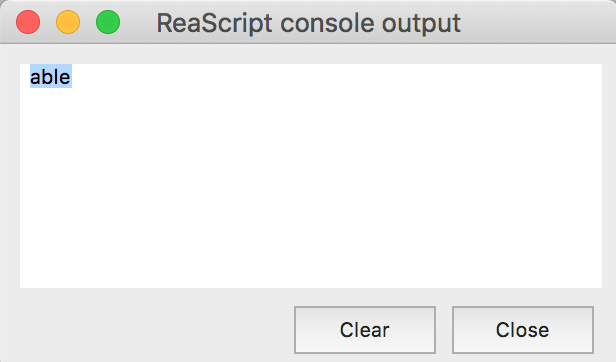
That is apparently a slice point return by the index\_extractor. Awesome! I’ll get to the bottom of this.
---
### Author:  [@jamesbradbury](https://discourse.flucoma.org/u/jamesbradbury)
#### Post date: [September 11, 2019, 11:08am UTC](https://discourse.flucoma.org/t/using-flucoma-tools-with-reaper/311/19 "2019-09-11T11:08:55Z")
Let me get back to you on a full rundown of the code once I nail this bug 🙂
---
### Author:  [@jamesbradbury](https://discourse.flucoma.org/u/jamesbradbury)
#### Post date: [September 11, 2019, 12:15pm UTC](https://discourse.flucoma.org/t/using-flucoma-tools-with-reaper/311/20 "2019-09-11T12:15:53Z")
> [@tremblap](#):
>
> OK I’ve tried it on Nicol-LoopE-M (classic) with default parameters (except a low threshold) and I only get this error:
>
> > NoveltySliceMediaItem.lua:42: attempt to perform arithmetic on a nil value (local ‘samples’)
>
> Any clue on how to find this? Is it possible I get nothing out? I ran the same process in the terminal and definitely get a lot of indices.
>
> p
This was happening because the Max 8 path, where I assume you kept the file in the fluid-decomposition package has a space in it, and I didn’t account for a circumstance where there is whitespace in the path. As a result, it was trying to look at a file which didnt exist, returning nil to the downstream functions. I pushed a fix to this now so just redownload from github.
[Next page](https://discourse.flucoma.org/t/using-flucoma-tools-with-reaper/311.md?page=2)