Filter out outlier points in a dataset, before fitting kdtree

Hello,

In some datasets, when checking for 6 classes on a plotter , I can spot some dots out of their class and isolated. My guess is I should get rid of those.

A bit of context:
I prototyped a classifier for 6 ways of hitting an object, the 6 type of produced sound are quite close, it worked like a charm with analysis windows of 20 ms. With a kdtree.
This object is hit in realtime by a percussionist, in a field in the mountain ( wide space ) so the latency induced by distance with speakers, and overall latency of the computer make it unpleasant to operate.

So I looked into optimisations, filtering training audio material and audio input, refining onset detections, PCA, fft settings and was able to get a great success rate with analysis windows of 8 ms.

My goal is reaching 256 samples at 44,1khz latency, so inspecting every step of my classification process I noticed about outliers in the datasets.

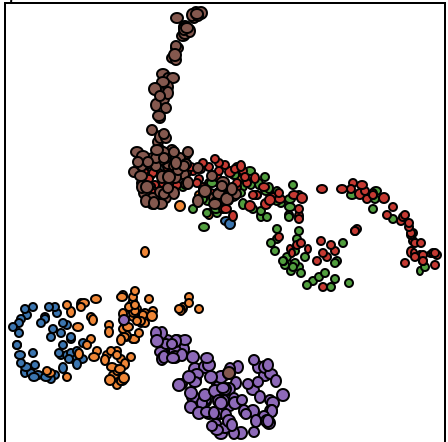
for example in this plot, a brown class gets mixed and isolated in the middle of purple class, same with an orange dot far from the others:
My immediate idea for deleting those was to select a point manually and remove, because I’m working with datasets of 6 classes with 40 occurrences of each class with very little outliers.

But I’d like to find a faster way to test different outliers filtering processes, as I will create new training data for each performance, this classification tool is a tiny part of the overall technical setup that already takes 4 hours to install/prepare, I can’t spend more than 2 hours on recreating the training.

Should my training sets be as “clean” as possible ? Or should I leave these outliers as they are what could happen while creating a dataset ?

“it depends” I guess. So I’m wondering what strategies I can use to remove these outliers , is there a smart way ? I guess it’s about “median” filtering ?

Cheers
1 Like

Actually I found infos here : Removing outliers while creating classifiers

1 Like

That other thread definitely does a deep dive.

It should be said that I’ve not really implemented any outlier rejection (yet) into Data Knot and have found it pretty robust. Things get more complicated with very similar sounds, as you’ve noticed.

It’s unclear from your post what descriptors/settings you’re using, and if you’re doing any additional processing (normalization etc…). All of that has a massive impact on things.

If you’re in the mood for another deep dive, I tested a ton of different permutations of things before arriving at the “recipe” I currently use in Data Knot:

Towards this, I think it always works best with “real” examples. As in, playing as you are expecting to play, be it loud/quiet/fast/slow/flams etc… Otherwise you can end up in a situation where your isolated/platonic versions of the sounds aren’t really good representations of what the classifier will see in reality.

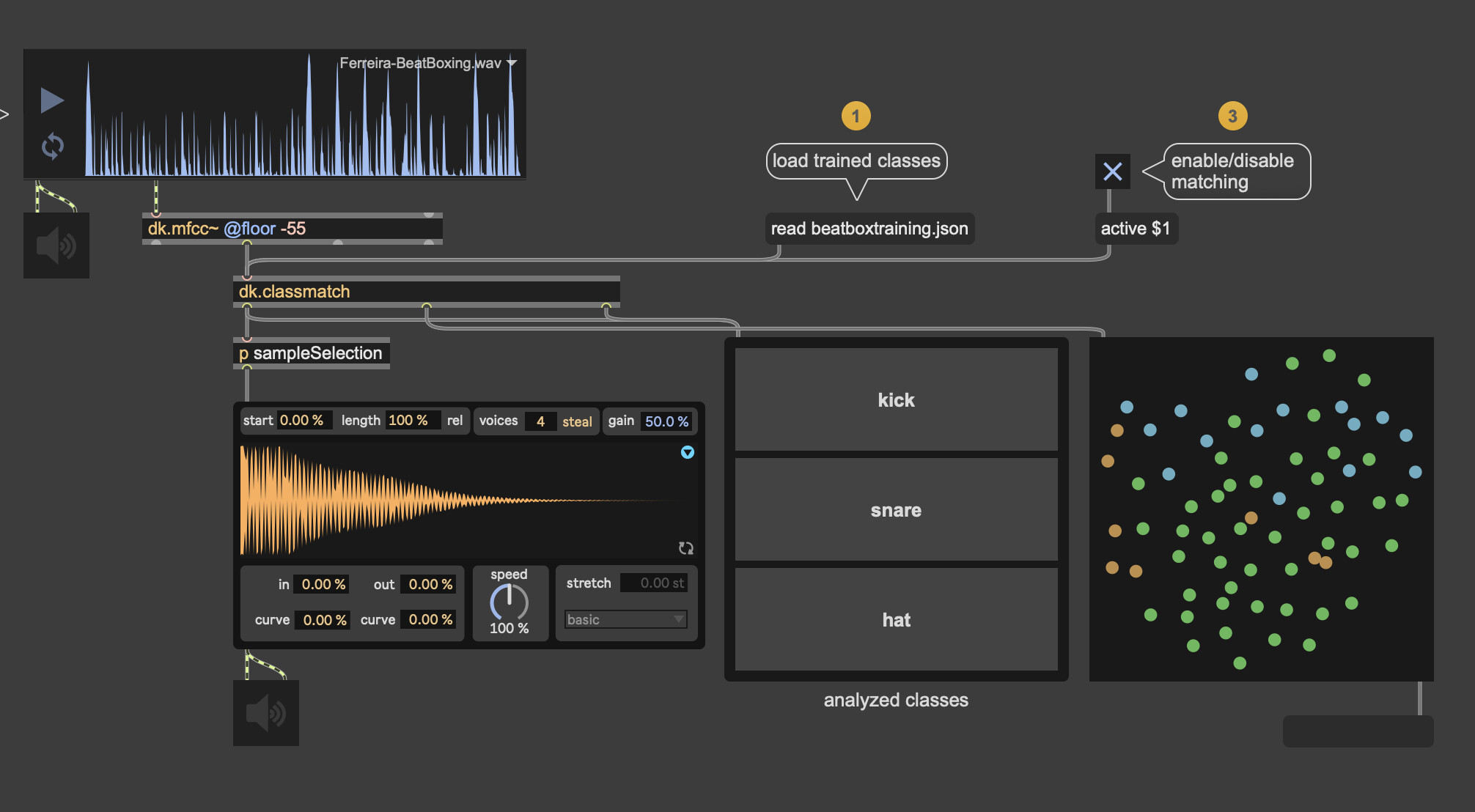
Also worth keeping in mind with the visualization is that your UMAP (?) projection is not really indicative of how well something will perform and/or overlap, since it’s a weird folding over of a much more complex space. Here’s the first tab of the dk.classmatch helpfile showing the bad overlap in the dk.plotter reduction, but the classification itself works quite well:

Hello,

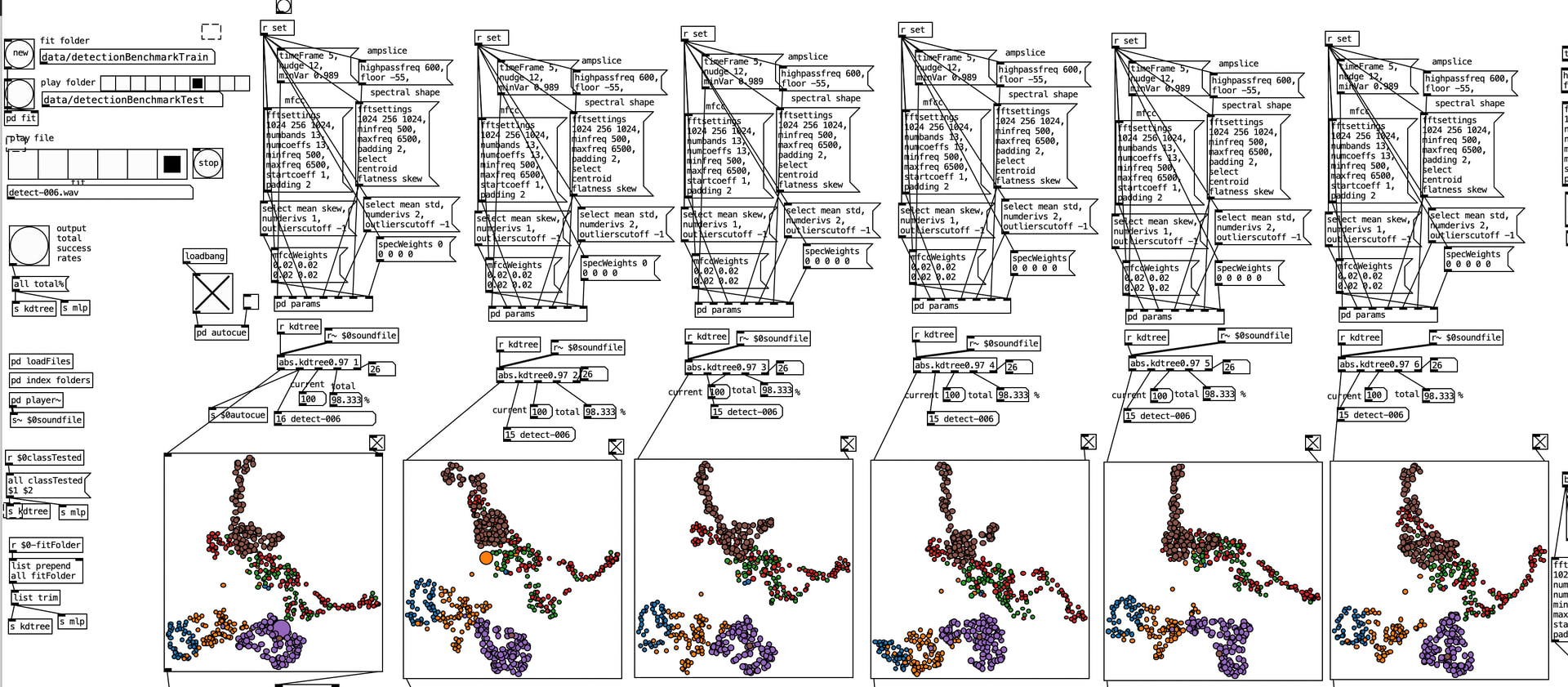
I did start with mfccs and empirically tweaked all settings until narrowing them down to what worked best, after that I used p.c.a , tested difference variance settings until I found the right reduction with those mfcc settings ( no recipe here, what I find works only for my current task/ audio material ) I test 1 setting at a time with 6 variations:

I’m using kdtree, but I’d like to test this with mlp, so I adapted the mfccs ( not normalising as it induce some error, but multiplying all coefficients by the same amount so they all fall in the -1 / 1 range ) then I added spectral shape descriptors ( with same empirical testings, adding , removing descriptors according to efficiency of the results ) they are normalised, and I tested different weightings on each descriptor I kept, and different variance kept with pca .

About outliers, I’m inspecting visually and listening each outlier, but to be honest I have classes that are well classified even if when listening to the 256 samples used to classify sound the same to my hears… ( old, worn hears though )

My next step will be testing this on a mlp, and I want to try also your predictive method .

One thing I’m wondering is why I get best results with those mfcc’s fftsettings : 1024 256 1024 (padding 2) whereas in your case you use those: 256 64 512 .
Did you try 1024 256 1024 ? how did you pick 256 64 512 ? We are doing the same thing ( almost ) so I must be doing something wrong somewhere right ?

1 Like

I did test larger settings, and generally-speaking they work better. The trade-off, of course, is the latency. I found 256 is “barely enough”, so I’ve stuck with that and adapted/improved things as much as possible.

The MLP works pretty well, and is worth trying. Oddly enough I find it quite a bit faster too. These days, I use just the KNN one 99% of the time (out of efficiency/laziness).

Yeah this is tricky. Sonically, it’s near impossible to tell the difference between some of the sounds I’m classifying, but thankfully the compute is better at the differentiation.

It’s also worth mentioning that dialing in the onset detection is critical, especially for short windows. So make sure there’s no double-hits and minimized missing hits, otherwise you introduce more variance there than is desirable.

Out of curiosity, what kinds of percussion sounds are they?

I use these settings on a 256 samples buffer, with 256 samples latency, so latency is the same. using bigger fft window gives better results. ( I started with settings like yours as I thought this was the most logical thing to do, then tweaked those settings until I find the best results )

I could be wrong but I think the effective latency is window + hop no? Like it’s computing every 256 samples but the first window is still 1024 so you need that window before you compute the first time.

edit:

Not window + hop but rather you have to wait for the whole window to have happened to analyze otherwise you potentially have a bunch of junk (or silence) in your 1024 window (if you’re doing it similarly to how Data Knot does it).

If you’re still analyzing a 256 window but with those as fft settings then your just over sampling it a bunch and smoothing stuff out a lot (I think).

I think I messed up things on the way…:melting_face: